

Introduction:
In need of a stunning product category carousel for your Divi-powered WooCommerce store – without coding or shortcodes? You’re not alone.
However, since Divi does not come with a native product category carousel module for WooCommerce, it leads store owners to find third-party plugin options that do not work well with the Divi Builder.
The good news is WooExpand fills this gap perfectly.
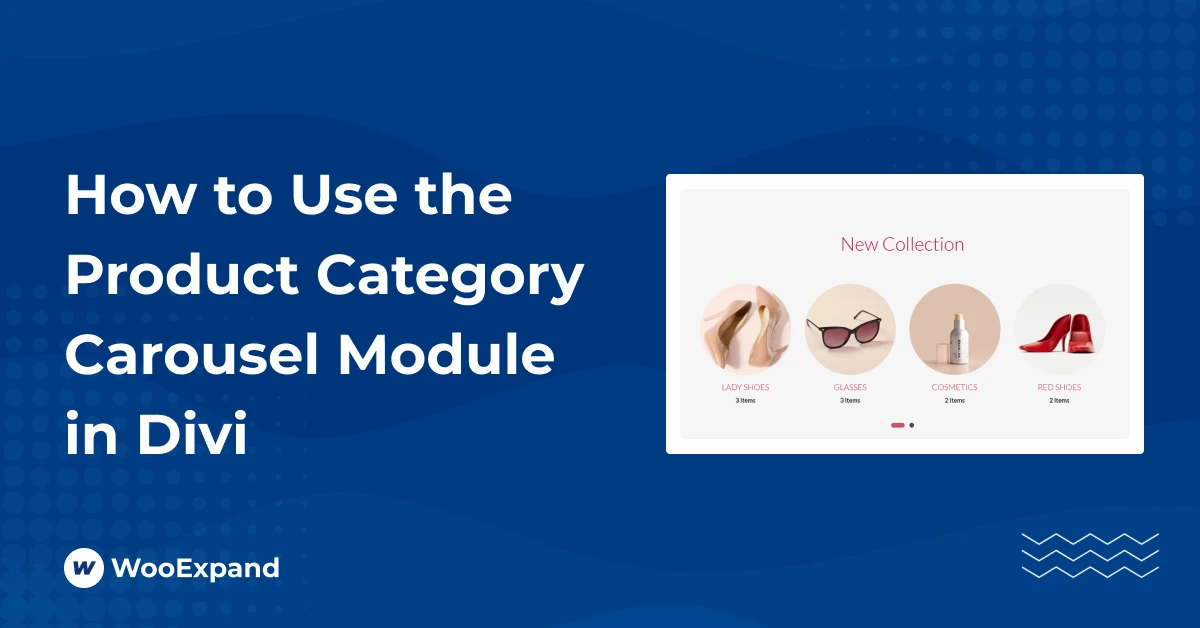
With the WooExpand Product Category Carousel Module, you can create engaging, scrollable product categories, styled natively inside the Divi Builder.
Why Use a Category Carousel in your Divi Store?
Category carousels enhance online stores in terms of functionality and appearance. Here’s why they work so well:
Showcase Featured Products — Showcase Top Items, Best Sellers, or Discounted Product Categories.
Get better Mobile UX — swipeable, space-saving modules are ideal for small screens.
Increase Engagement — interactive elements keep users scrolling and exploring.Improved Conversions — More product categories in a small area increase the visibility of your categories.
WooExpand’s Category Carousel module
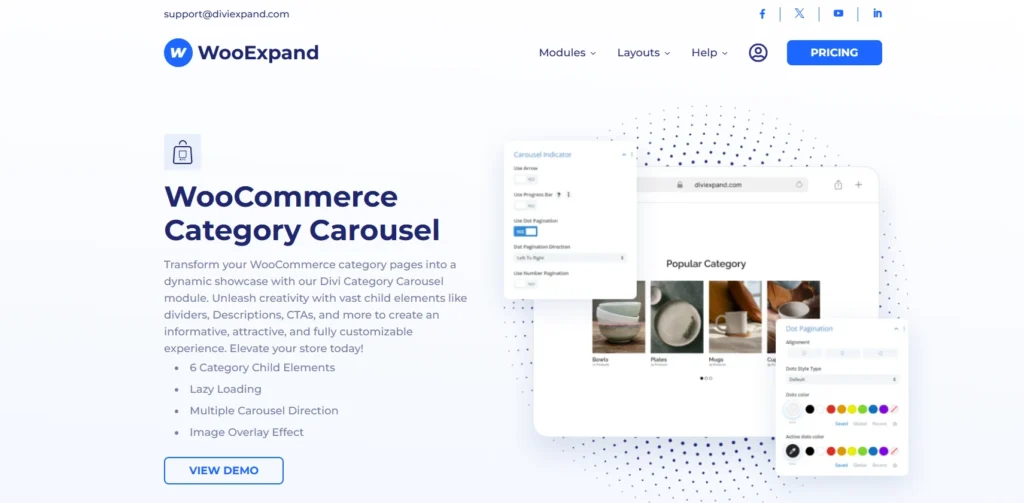
Category Carousel Module is one of the modules in the WooExpand plugin, which is a Divi native WooCommerce module pack. Unlike other plugins, WooExpand’s carousel:
- Is built exclusively for Divi, with full visual control.
- Doesn’t rely on shortcodes or extra CSS.
- Loads only the modules you enable, keeping your site fast.
- Works seamlessly with other WooExpand modules like Product Grid or Product Filter.
How to Use a Category Carousel in Divi
Step 1 – Install & Activate WooExpand
- Get WooExpand from the pricing page
- Simply upload the plugin in your WordPress dashboard and activate it.
- Enter your Licence Key & enable modules.
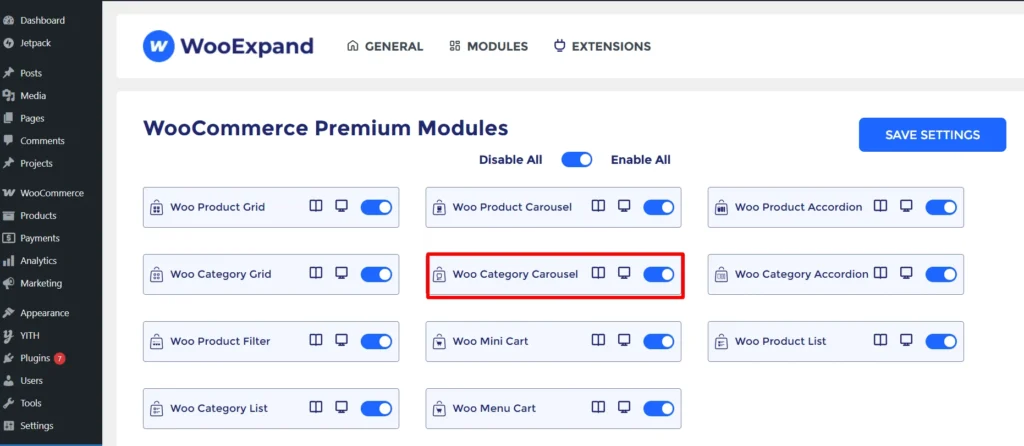
Step 2 – Activate the Category Carousel Module
- Go to the dashboard of your WordPress
- Check if the Category Carousel Module is enabled or not from the WooExpand settings.
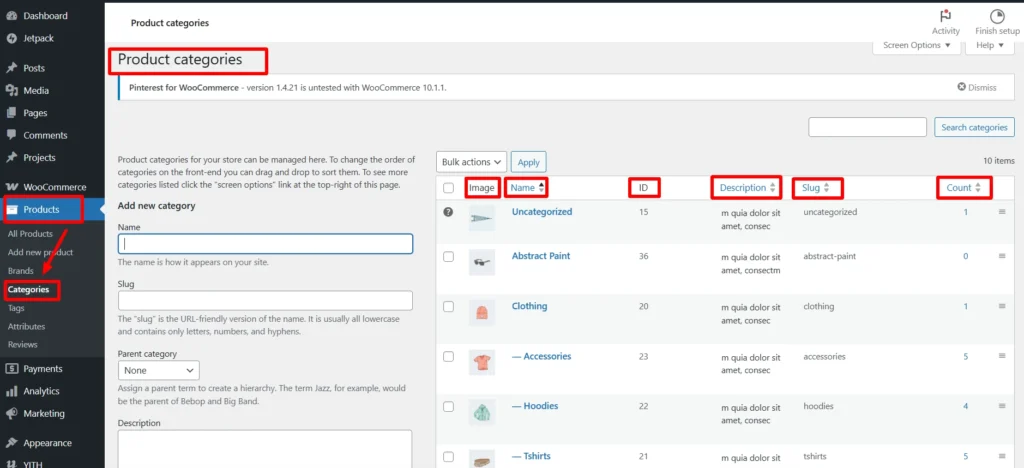
To ensure proper display of your product categories:
- Add an image, name, description, and slug from your WordPress Dashboard under Products > Categories.
- Since the module works dynamically, this information must be provided directly from your WordPress dashboard, otherwise categories won’t display correctly.
Step 3: Open the Divi Builder
- Create or edit a page
- Add a WooExpand Category Carousel Module
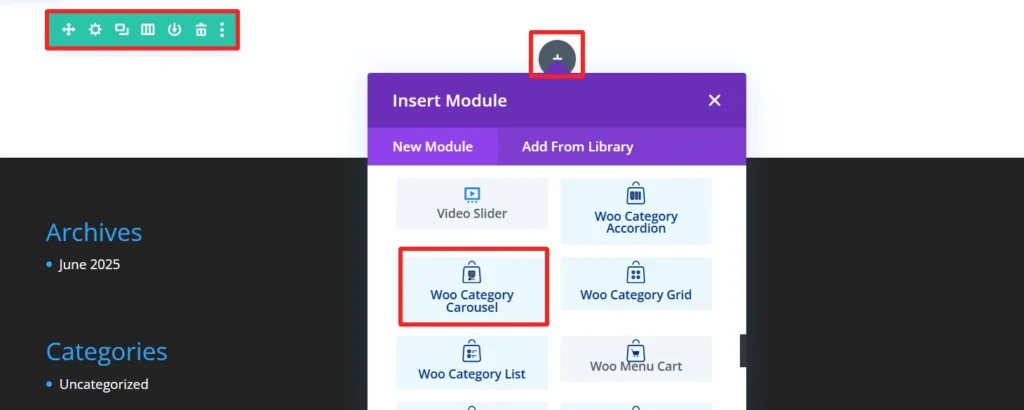
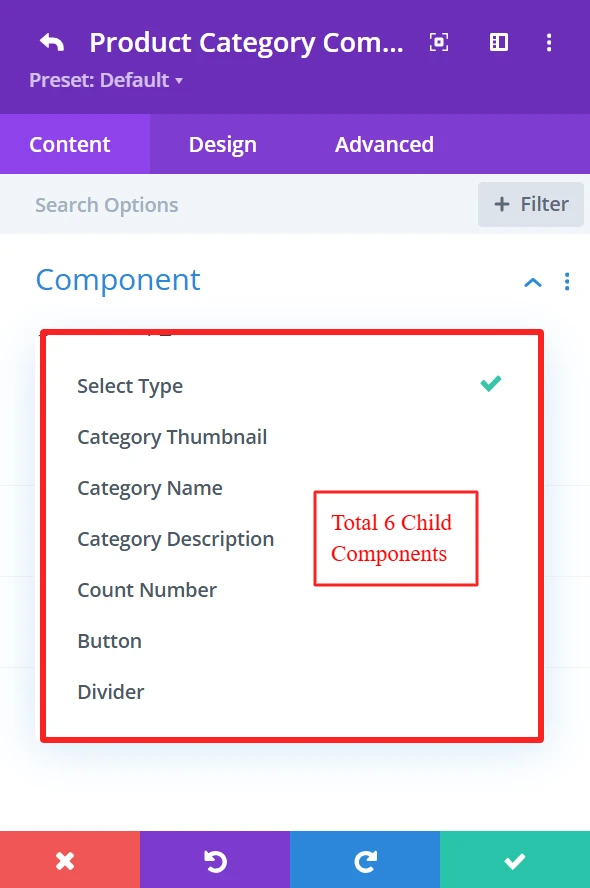
Step 4: Configure Your Carousel
Select Product Source: WooExpand has a total of 6 child elements for the Category carousel module. You can select any of your preference elements from here.
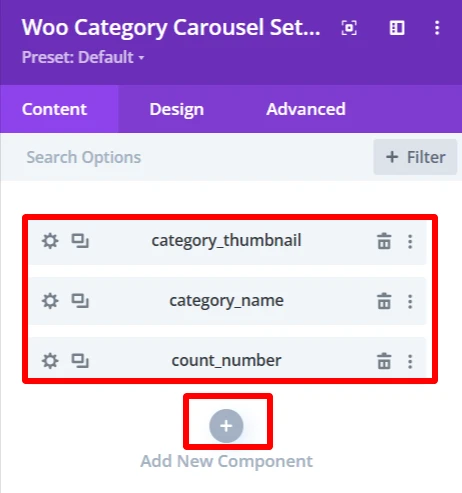
You can add child elements using the + icon. As here, these three child elements are added to create a demo design.
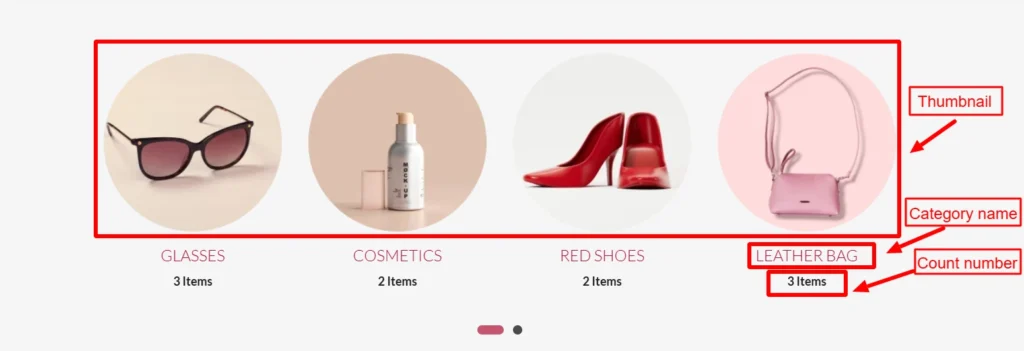
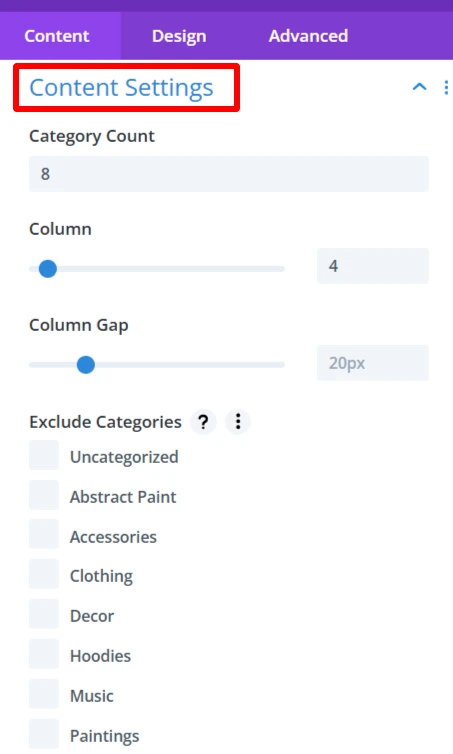
From the Content Settings, you can set the Category count, number of columns also you can exclude categories that you don’t need and many more.
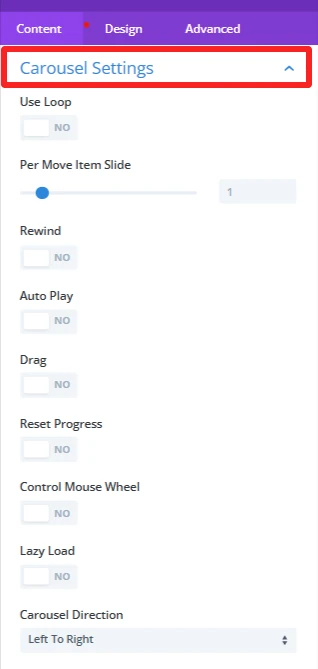
Carousel Settings, allow you to loop items, enable Auto Play, and let users Drag through items and many more.
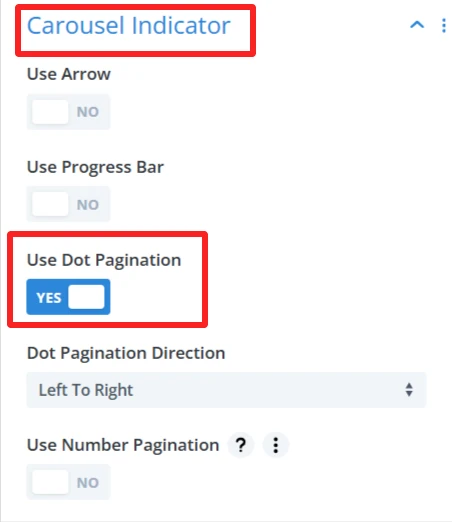
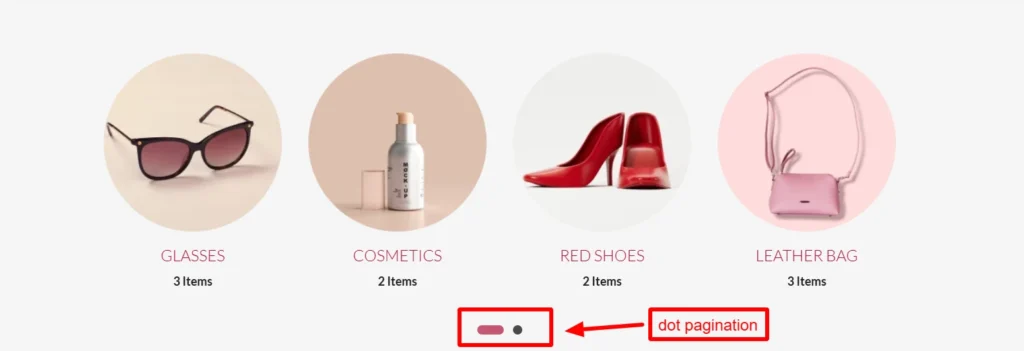
In Carousel Indicator section, you get a bunch of options. I have enabled here dot pagination, you can use arrow, progress bar, number pagination, etc, according to your design preferences.
Step 5: Experience Design with Divi-Controls
Easily change spacing, typography, colors, etc, from the design panel.
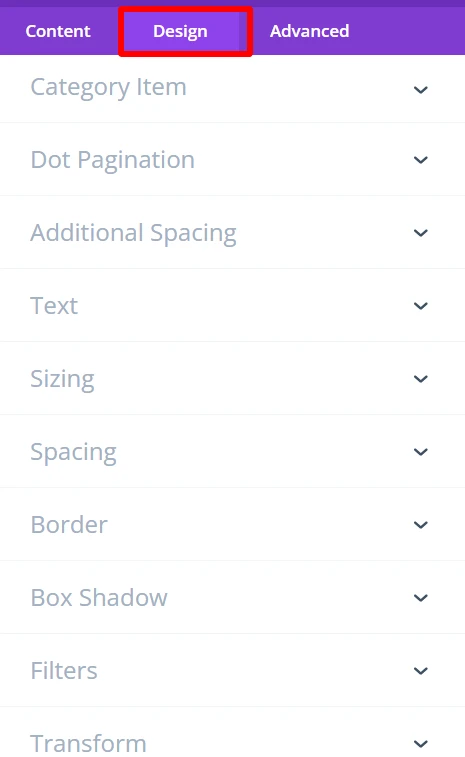
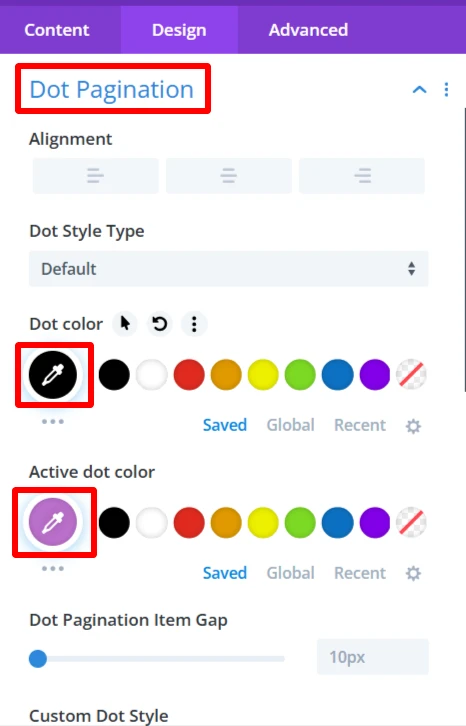
As you can see the colors of active dot & dot were changed using the design tab.
For more information about these features, you can visit WooExpand’s documentation about Category Carousel.
Step 6: Preview and Publish
- Preview the category carousel desktop View and mobile View
- When you are satisfied with the design, publish your page and go live
Demo & Styling Inspiration
Do you want to see what it looks like before you try?
👉 View the Live Demo Here — Discover category carousel module
Conclusion
In 2025, if you are creating a Divi + WooCommerce site and you want tools that support selling, without slowing things down. WooExpand Category Carousel Module will empower you to create responsive, gorgeous product categories without any code.
- See Live Demo
- Get WooExpand Now — Lifetime License Available!


0 Comments